Play
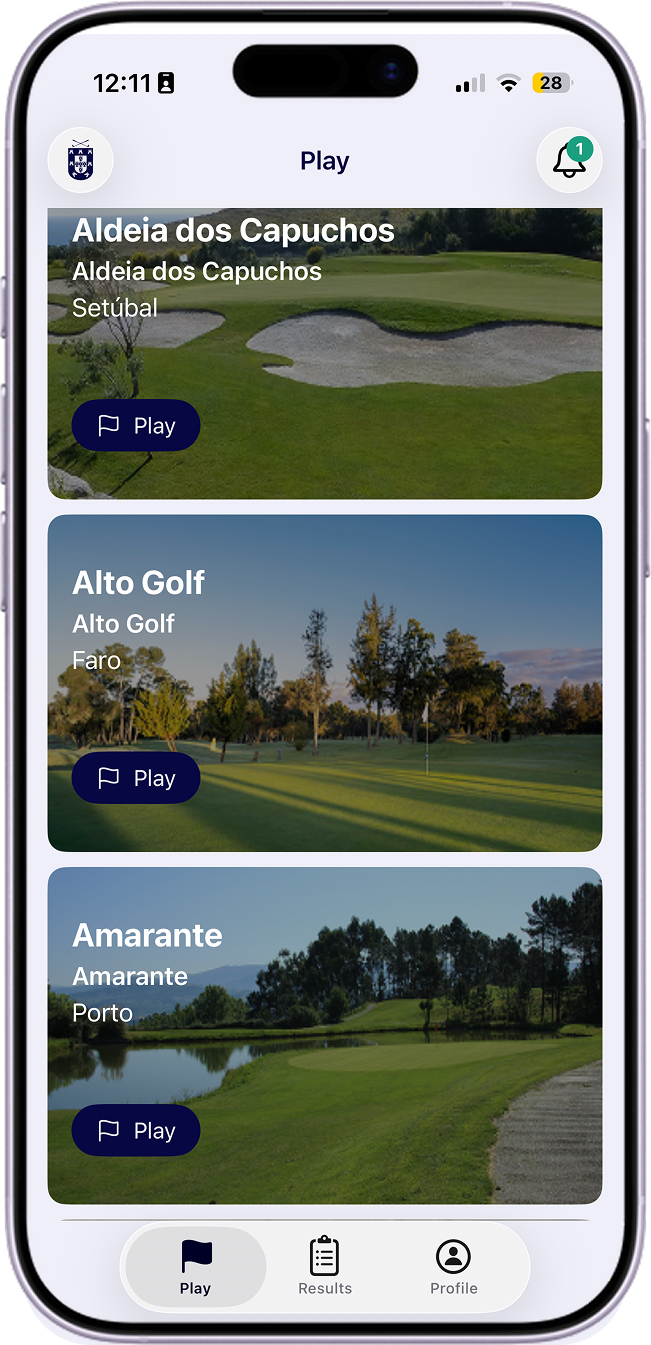
Set up rounds, pick courses, configure format and players, and start scoring.
How to create a new round:
- Select course: Choose from your federation's available courses. See Courses.
- Configure game: Pick 18 or 9 holes and the format (Stroke Play or Stableford Net). See Round type and Round configuration.
- Add players: Look up players in the federation registry and add them to the round. See Round players and Look for player.
- Set up each player: Configure tees for each player. See Player configuration. Scoring and submission:
- During play, each player enters strokes for every hole until the round is complete. See Strokes entry and Hole.
- When finished, the marker signs the round and the player submits it to the federation so it counts toward handicap. See View / Complete and Complete.
Pages:
- Start new round
- Add course as favorite
- Round configuration
- Round players
- Round date and time
- Round type
- GPS
- Groups
- Courses
- Favorite players
- Add player as favorite
- Look for player
- Can't find player
- Select marker
- Remove player
- Active rounds